
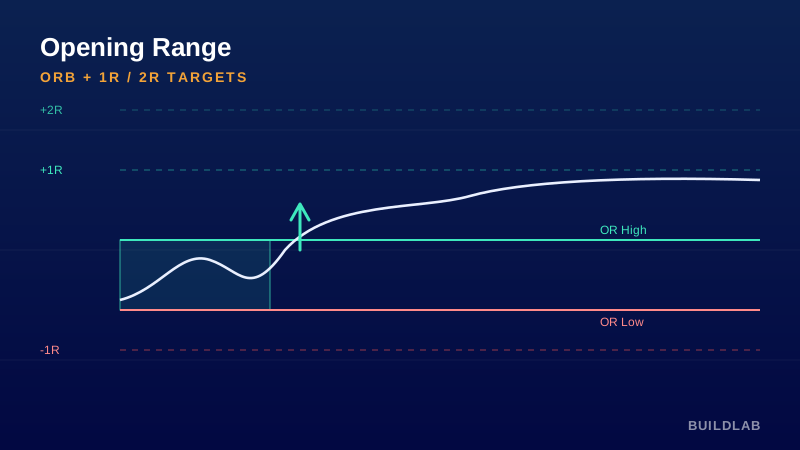
Lock the opening range and project the breakout targets.
Captures the high/low of the opening window (default 09:30–09:45 ET) each day, locks it, and projects it forward with a midpoint and 1R / 2R breakout targets — a transparent framework for opening-range-breakout trading.
Best for: Index & micro futures (ES/MES, NQ/MNQ) on 1–5 min intraday.
Open it, read it, edit it — it’s yours. © BuildLab Consulting.
How to use it
Wait for the lock
Let the opening window complete; the range high/low then freeze and extend across the session.
Trade the break
A break-and-hold above the range favors longs toward +1R/+2R; below favors shorts toward −1R/−2R.
Respect failure
A break that snaps back inside the range is a failed breakout — often a fade back toward the midpoint/opposite side.
Settings
- Opening-range windowThe session window whose high/low define the range.
- Show 1R / 2R targetsProject measured-move targets at one and two times the range.
- Show midpointPlot the range midpoint — a common mean-reversion pivot.
Install
TradingView: open the Pine Editor, paste the .pine source, click Save, then “Add to chart.”
Ready to Work, Let's Chat
Our team of experts is ready to collaborate with you every step of the way, from initial consultation to implementation.